


Self Storage and Organization: From Chaos to Cataloged
by 10 Federal Storage
Published on March 19, 2026
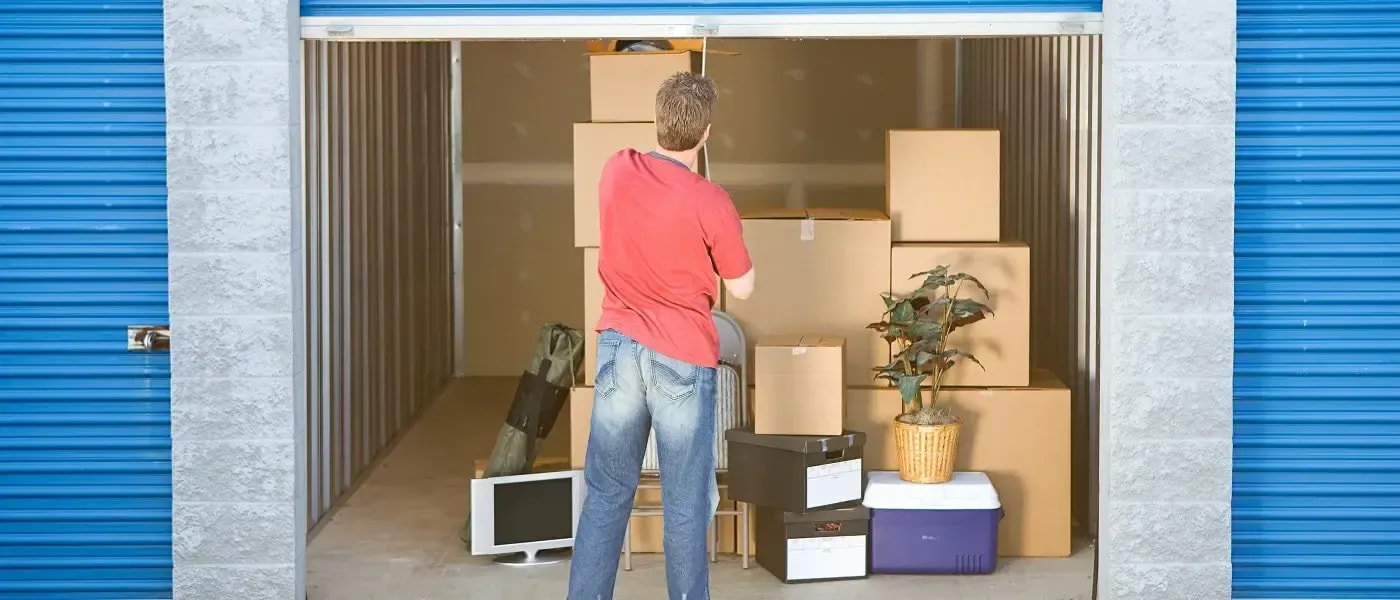
You know the feeling. You're standing at the entrance of your storage unit, staring into the abyss of stacked boxes, knowing somewhere in that cardboard mountain is your daughter's Halloween costume, your camping gear, or the one tax document you actually need. Twenty minutes later, you've pulled half the unit into the parking lot, found nothing, and now you're sweating and questioning your life choices.
Here's the uncomfortable truth: most people don't have a storage problem. They have an organization problem.
The difference between a storage unit that works for you and one that works against you comes down to intentional systems, and once you put them in place, you'll never dread that Sunday retrieval trip again.
This guide covers everything you need to go from chaotic to completely cataloged: shelving layouts, digital inventory tools, labeling strategies, seasonal rotation plans, and the "15-Minute Retrieval" method that ties it all together.
Part 1: Shelving Layouts and Aisle Systems for Every Unit Size
The way you physically structure your unit is the foundation everything else is built on. Most people pack their unit like a game of Tetris, maximizing density at the cost of usability. The goal isn't to fit the most in; it's to be able to access everything you own.
The Perimeter + Center Aisle System
For units 10×10 and larger, the most effective layout is the Perimeter + Center Aisle approach:
- Line all walls with shelving. Freestanding wire or metal shelving units (typically 36" wide × 18" deep) allow you to use vertical space from floor to ceiling without stacking boxes directly on the floor.
- Create a center aisle at least 24" wide running from the entrance to the back wall. This single corridor gives you visual access to everything and lets you reach any shelf without moving anything else.
- Reserve the front 18" of the unit on both sides for seasonal or frequently accessed items. Think of it as your "grab zone."
The result: instead of a wall of boxes, you have a mini-warehouse with clear sightlines.
The Quadrant System for Smaller Units (5×10 and 5×5)
Smaller units don't allow for a full center aisle, but you can still impose order with quadrant thinking:
- Divide mentally into four zones: front-left, front-right, back-left, back-right.
- Assign each quadrant a category: seasonal items, furniture, business/archive, hobby gear.
- Always place items label-outward toward the entry point of that quadrant.
- Use a single rolling shelf positioned at the center of the unit to hold small bins and boxes at eye level.
Even a 5×5 unit benefits from this approach, when every item belongs to a zone, you immediately know where to look.
Shelving Material Recommendations
- Unit Size: 5×5 Recommended Shelving: 1 wire shelf unit, 36"×72" Notes: Place along back wall
- Unit Size: 5×10 Recommended Shelving: 2 wire units or 1 heavy-duty Notes: One per side, leave center lane
- Unit Size: 10×10 Recommended Shelving: 4–6 units lining three walls Notes: Add rolling shelf for center
- Unit Size: 10×20+ Recommended Shelving: Industrial wire or boltless steel Notes: Full perimeter system possible
Pro tip: Invest in shelving with adjustable heights. Your collection of items will change over time, and shelves that can't adapt will frustrate you.
Pro tip: Invest in shelving with adjustable heights. Your collection of items will change over time, and shelves that can't adapt will frustrate you.
The Floor Rule
Never place anything directly on the floor that you intend to retrieve. Floor items become buried, forgotten, and sometimes damaged. If something must go on the floor (large furniture, appliances), treat it as permanent storage and label it accordingly. Everything else goes on a shelf or in a labeled bin.
Part 2: Digital Inventory, Templates and App Recommendations
Your unit could be immaculately organized and labeled, but if you can't check what's inside before you make the drive over, you're still wasting time. A digital inventory solves this.
Why a Digital Inventory Changes Everything
A digital inventory means you can:
- Confirm whether an item is in storage before driving there
- Locate exactly which box or bin it's in
- Track what you've added or removed over time
- Share access with family members or business partners
It sounds like overkill until the first time it saves you a 45-minute round trip.
Free Inventory Templates (Spreadsheet Approach)
If you prefer a simple, no-app approach, a spreadsheet works well. Here's the column structure that covers everything you need:
Columns: Box/Bin ID | Category | Item Description | Quantity | Location in Unit | Date Added | Notes | Photo Link
Keep it in Google Sheets or Microsoft Excel, share it with your household, and bookmark it on your phone. This low-tech system is surprisingly powerful if maintained consistently.
Recommended Apps
Sortly (Best overall), Purpose-built for exactly this use case. You can create visual inventories with photos, generate QR codes for boxes, scan items in and out, and share access with others. The free tier covers most personal use cases; the paid tier adds unlimited items and barcodes.
Memento Database (Best for power users), A customizable database app that lets you design your own inventory schema. More setup time upfront, but extremely flexible if you have complex categories or business inventory.
Google Photos with Search (Best free option), Not a traditional inventory tool, but Google Photos' visual search is remarkably capable. If you photograph every box and label, you can search "camping" and pull up every image where that word appears. Combine with a simple spreadsheet for location data.
BoxUp (Best for moving and storage combined), Great if you're in transition between a move and long-term storage. Generates box labels, tracks contents, and helps with the moving process itself.
The Golden Rule of Digital Inventory
The best system is the one you'll actually maintain. Pick one approach, stick with it, and update it every single time you add or remove something. A digital inventory that's six months out of date is almost worse than none, it creates false confidence.
Part 3: Labeling Strategies That Actually Work
Labels are the interface between your physical storage and your mental model of it. A well-labeled unit can be navigated almost without thinking. A poorly labeled one requires investigation every visit.
The Three-Layer Labeling System
Effective labeling works at three levels simultaneously: color, number, and description.
Layer 1: Color Coding (Zone Identity)
Assign a color to each major category and mark every box, bin, and shelf section with that color. Use colored duct tape on box edges, or colored labels from any office supply store.
A sample color system:
- 🔴 Red, Holiday and seasonal décor
- 🔵 Blue, Sports and outdoor equipment
- 🟢 Green, Garden tools and supplies
- 🟡 Yellow, Children's items and toys
- ⚪ White, Documents and archive
- 🟣 Purple, Hobby and craft supplies
Color coding gives you instant visual filtering. When you need the camping gear, you scan for blue, ignoring everything else.
Layer 2: Numbering System (Precise Location)
Every bin or box gets a unique alphanumeric ID that corresponds to a location in your unit and a line in your digital inventory.
Use the format: [Zone Initial][Shelf Row][Position]
For example: B-2-3 means Blue Zone, Shelf Row 2, third item from the left. When you pull up your inventory and see "camping tent → B-2-3," you know exactly where to go without any searching.
Layer 3: Description Label (Quick Visual Confirmation)
On the face of every box (the side facing the aisle), include a brief human-readable label: "Winter Jackets – Kids" or "Camping: Tent, Stakes, Rain Fly." This isn't redundant with your digital system, it serves a different purpose. When you're standing in front of the shelf, you want to confirm quickly that you've got the right box before lifting it.
Label placement rule: Labels always go on the front and top of every box. Never on the back or bottom. This seems obvious until you're reorganizing and flip a box, and suddenly nothing is labeled anymore.
QR Code Labels: Next-Level Access
For a fully integrated system, create QR codes linked to your inventory records for each box. When you scan the QR code with your phone, it opens the inventory entry for that box, showing contents, photos, and notes.
How to set this up:
- Create inventory entries in Sortly or a Google Sheet with unique URLs.
- Use a free QR code generator (QR Code Monkey, QRStuff, or Canva) to generate a QR per box.
- Print on adhesive label paper (2" × 2" labels work well).
- Laminate or cover with clear packing tape to protect from moisture.
This approach works especially well for business inventory, archive boxes, or any unit where multiple people need access.
Part 4: Seasonal Rotation Calendars
Most people's storage needs change with the seasons, but they manage those changes reactively, scrambling to find skis in November or pulling out the patio furniture in a panic before a Memorial Day party. A seasonal rotation calendar turns that chaos into a predictable, 30-minute task.
How to Build Your Rotation Calendar
Start by listing every category in your storage unit and the month(s) when you need access to it. Then build a simple calendar of "swap events" throughout the year.
Sample Annual Rotation Calendar:
March (Spring Swap)
- Move to front/accessible: Gardening tools, outdoor furniture covers, spring sports equipment, Easter décor
- Move to back/deep storage: Winter clothing, ski/snowboard gear, holiday lights, shovels
May (Summer Prep)
- Move to front/accessible: Beach gear, camping equipment, portable fans, patio décor
- Move to back/deep storage: Spring transition items, rain gear
September (Fall Transition)
- Move to front/accessible: Fall décor, Halloween supplies, back-to-school overflow
- Move to back/deep storage: Summer gear, camping (unless you camp in fall)
November (Winter Prep)
- Move to front/accessible: Holiday décor, winter sporting gear, winter clothing overflow
- Move to back/deep storage: Garden tools, outdoor furniture, summer sports gear
The "Winter Sports Equipment Access Plan" Example
Your ski gear is a perfect case study. Skis, boots, poles, and helmets are bulky, seasonal, and needed at a moment's notice in winter. Here's a specific plan:
- Store ski equipment in clearly labeled, hard-sided bags or bins.
- In September, move all ski gear to the front-right quadrant of your unit (or your designated "seasonal front" shelf).
- Attach a reminder note (or calendar event) for April: "Return ski gear to deep storage."
- Store ski boots in a sealed bin with cedar chips or a moisture absorber to prevent odor.
- Ski gear goes on the top shelf of the front section, heavy enough to not fall, light enough to retrieve without help.
The result: when that first powder day hits, you're out the door in minutes, not searching for a boot bag.
Calendar Tools
A simple recurring calendar event works well. Set Google Calendar or Apple Calendar reminders 2 weeks before each "swap event" so you have time to plan the trip. Label them "Storage Rotation, [Season]" so they're searchable later.
Part 5: The 15-Minute Retrieval Method
Everything above, the layout, the inventory, the labels, the rotation calendar, exists to serve one goal: getting you in and out in 15 minutes or less.
The 15-Minute Retrieval Method is both a benchmark and a workflow. If any retrieval trip takes longer than 15 minutes, something in your system needs attention.
The Method
Before you leave home (5 minutes):
- Check your digital inventory for the item's location code (e.g., B-3-2).
- Note any adjacent items you should check while you're there, batch retrieval whenever possible.
At the unit (10 minutes):
- Walk directly to the zone identified by your color code.
- Locate the numbered bin using the position code.
- Retrieve your item. If you move anything to access it, put it back before leaving.
- Spend 2 minutes on a quick visual scan of the unit, anything misplaced, unlabeled, or damaged gets noted on your phone for the next maintenance visit.
After you leave (2 minutes):
- Update your digital inventory if you removed or returned anything.
- Add a note if anything needs attention on your next visit.
That's it. The whole system is designed to compress what used to be a 45-minute archaeological dig into a quick, purposeful visit.
When the 15-Minute Goal Fails
If you consistently can't find something within 15 minutes, it points to a specific gap:
- Can't find the box? → Your labeling or aisle system needs work.
- Find the box but the item isn't in it? → Your inventory is out of date.
- Know where it is but can't reach it? → Your layout and rotation system need adjustment.
- Forgot you even owned it? → Your inventory entries need more descriptive detail.
Treat each failure as a diagnostic signal, not a personal failure. Fix the system, not your memory.
Putting It All Together: Your First Weekend
Here's a practical sequence for implementing all of this, start to finish, in a single focused weekend:
Saturday Morning, The Audit (2 hours) Empty your unit section by section. As you pull items out, sort them into broad categories. This is your chance to discard, donate, or consolidate.
Saturday Afternoon, Layout and Shelving (3 hours) Assemble or reposition your shelving. Establish your zones. Re-load the unit according to your layout plan, with most-accessed items at front and heavy items on bottom shelves.
Sunday Morning, Labeling and Inventory (2 hours) Label every box and bin with the three-layer system. Set up your digital inventory with each box's contents and location code.
Sunday Afternoon, Calendar and Inventory Finalization (1 hour) Set up your rotation calendar reminders for the year. Do a final walkthrough and make sure your inventory is complete and accurate.
The payoff: every visit after this will take a fraction of the time. What used to be a stressful, sweaty afternoon becomes a quick, satisfying errand.
Final Thought: Your Storage Unit Is an Asset
Most people treat their storage unit like a closet they can't see into, a black box where things go to be forgotten. But with the right systems, a storage unit becomes a genuine extension of your home: organized, accessible, and actually useful.
The systems in this guide aren't about being a neat-freak. They're about respecting your time. Every minute you spend digging through boxes is a minute you didn't have to spend. Every organized retrieval trip is proof that a little upfront work pays dividends for years.
Start with one piece, maybe just the labeling system, or just the digital inventory. Layer in the rest as you go. Within a month, your unit won't be a place you dread visiting. It'll just be storage that works.
Ready to Put These Systems to Work?
All of this only matters if you have the right space to start with. At 10 Federal Storage, our units are built with organization in mind, clean, well-lit, and available in a range of sizes so you're never paying for space you don't need or cramming things into a unit that's too small to work with.
Whether you're setting up a brand-new unit or finally ready to get your existing one under control, our team can help you find the right fit. Find a 10 Federal location near you and get started today, because the best organization system in the world needs a great unit to live in.
About the Author
10 Federal Storage
Our team at 10 Federal Storage has been in the self storage industry for decades. With knowledge gained from multiple universities and in the field, we are well-prepared and excited to assist with your storage needs. When you rent a unit with us, you can feel confident that our seasoned customer service team’s help will make your transition as seamless as possible. Customer satisfaction is our number one priority, and we strive to make your experience exceptional with our automated leasing options, diverse unit sizes, and a strong commitment to sustainability.